
Augmented Reality (AR) integrates digital information into the user’s real-world environment in real time. Unlike Virtual Reality (VR), which immerses users in a completely artificial world, AR enhances the real environment by overlaying computer-generated visuals, sounds, or data onto it, allowing users to interact with both physical and digital elements simultaneously.(Gillis, 2024)
Overview
For this project, I designed and developed a marker-based Augmented Reality (AR) experience titled “Mars Experience” using 8thWall. The goal was to create an interactive learning experience that combines visual design, 3D modeling, and AR technology to make learning about space more engaging. When users scan a printed Mars poster with their mobile device, a 3D animated planet appears, floating above the image and rotating slowly to simulate real planetary motion.
This project combines three main creative processes visual design, 3D modeling and animation, and AR integration following UX principles of simplicity, immersion, and user accessibility.
Step 1: Designing the Image Target
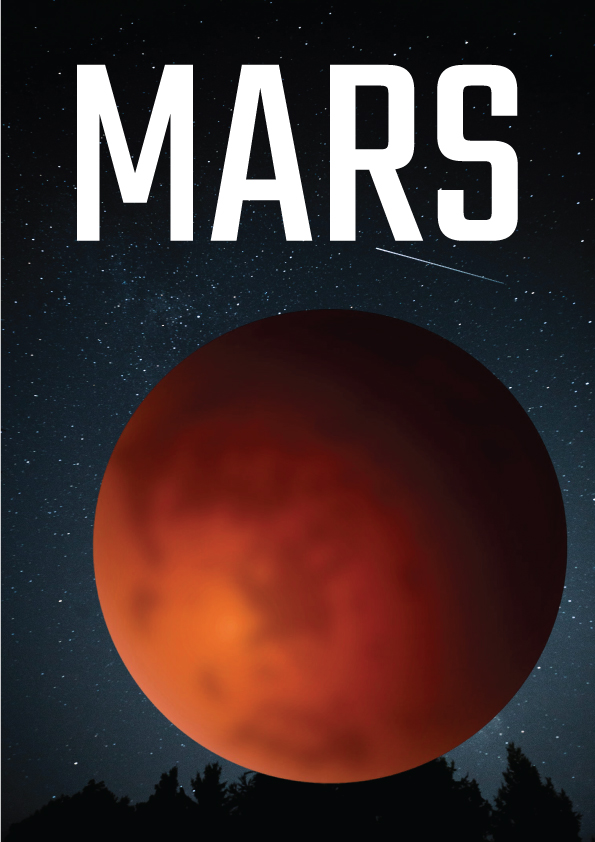
I began the process in Adobe Illustrator, where I designed the Mars poster that would act as the AR image target. The composition features a night sky background with stars, a glowing Mars graphic, and bold typography spelling “MARS.”
The design was created with high contrast and distinct features to improve tracking accuracy when uploaded to 8thWall. According to 8thWall’s documentation, markers with strong colour contrast and clear outlines produce more reliable AR recognition.
Step 2: Modelling and Animating Mars in Blender
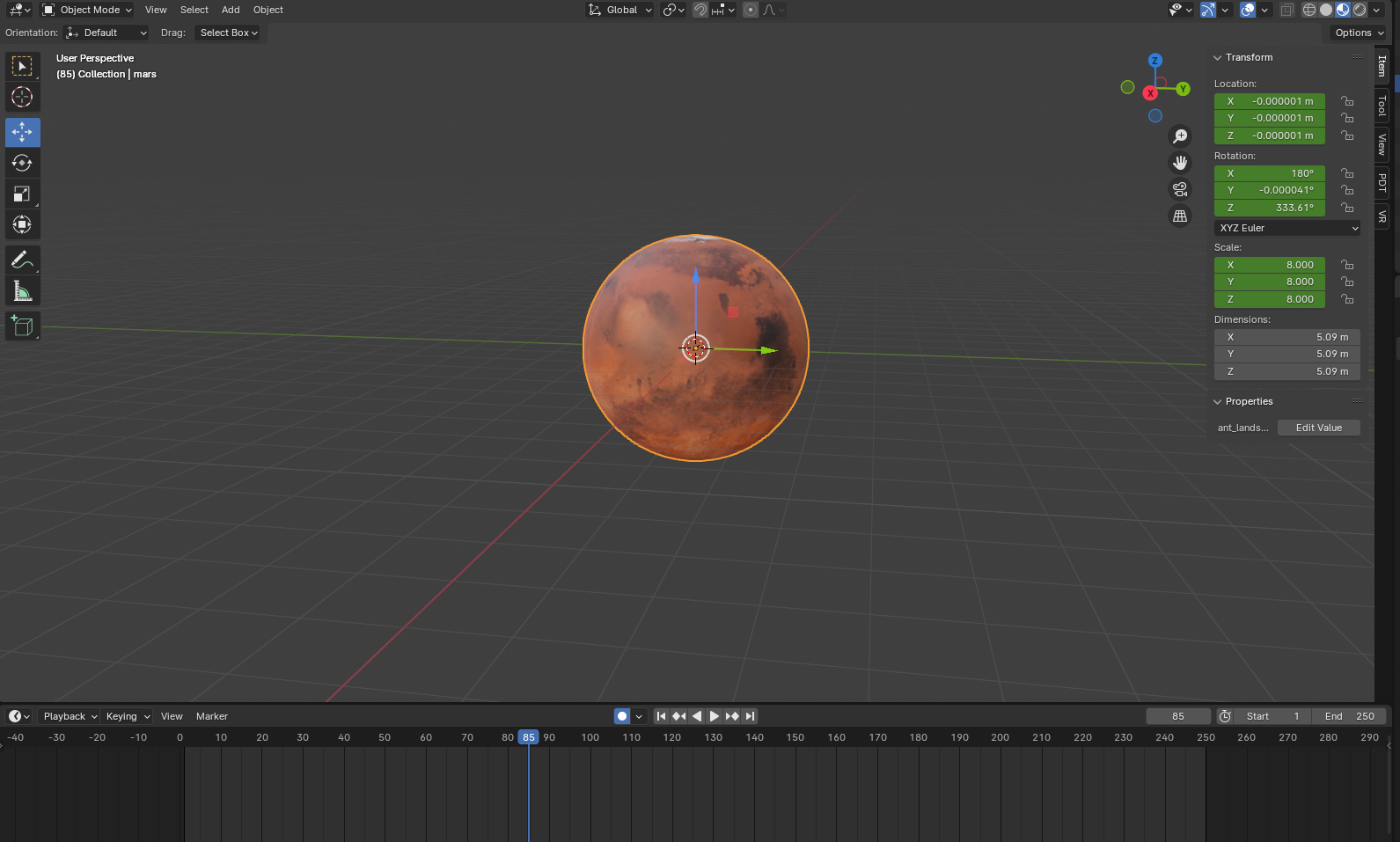
Next, I moved into Blender to create the 3D model of Mars. I started with a simple sphere mesh, then applied a realistic planet texture map to replicate the surface of Mars. I adjusted the materials using the Principled BSDF shader to give the model a slightly rough and realistic surface finish.
To make the experience more dynamic, I animated the planet with a slow, looping rotation using keyframes in Blender’s timeline. This animation gives the illusion of Mars spinning in space, bringing a sense of realism and immersion to the AR experience.
The model was then exported as a .glb file an efficient, web-optimised 3D format ready for import into 8thWall.
Step 3: Integrating the Model in 8thWall
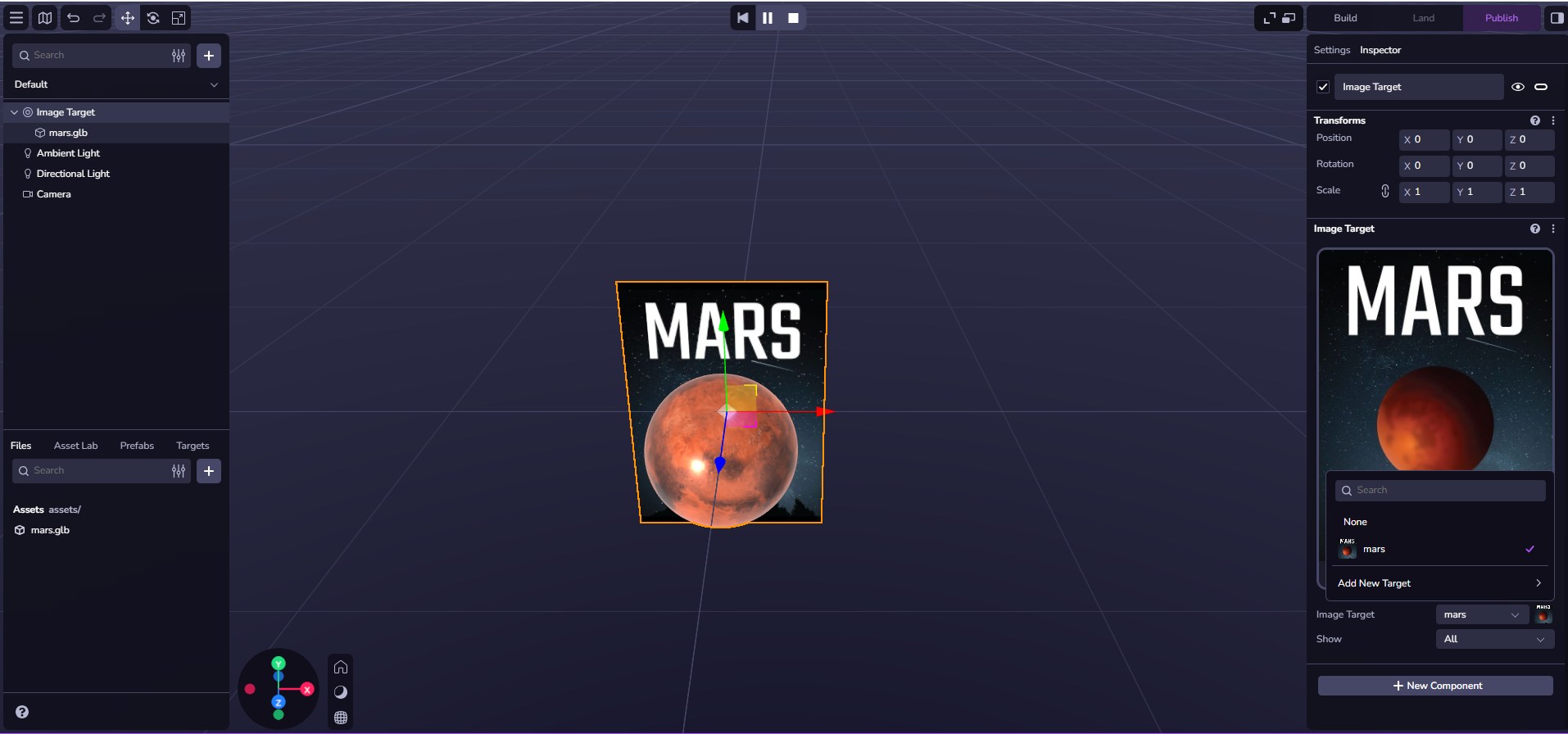
After finalizing the 3D model, I imported it into 8thWall, where I set up an Image Target Project. The Mars poster was uploaded as the tracking image, and the .glb file was linked to this target as the AR element.
Inside 8thWall’s interface, I adjusted the scale, position, and rotation of the planet to align it perfectly above the printed poster. I used both ambient and directional lighting to ensure visibility from multiple angles.
The animation embedded from Blender played automatically once the image was detected, creating a seamless transition from print to 3D
What visual and interactive choices you made
Visually, I focused on contrast, realism, and atmosphere. The Mars poster used as the image target features a deep night-sky background and a bright red-orange planet, which ensures strong contrast for 8thWall’s image recognition system. The clean typography and minimal layout help the user instantly understand the theme while keeping the interface uncluttered.
From an interaction standpoint, I deliberately chose a passive-explorative style of engagement. Users simply scan the poster using their device camera, and the planet emerges in 3D space. They can then move around physically, observing Mars from different perspectives. This design follows UX principles of natural movement and spatial exploration, encouraging users to discover the experience intuitively without any on-screen buttons or instructions.
I positioned Mars slightly above the image target to create the illusion that it’s floating, which adds to the “wow” factor. Its rotation speed was carefully adjusted so that the animation feels calming rather than dizzying an important UX consideration for comfort in AR environments.
Through these creative and technical choices, I learned how visual design, lighting, and user interaction come together to shape the emotional and functional impact of an AR experience. The project successfully demonstrates how small design decisions such as contrast, animation, and camera-relative placement, can transform a simple 3D model into an engaging, immersive learning moment.
Design and UX Principles in Augmented Reality
Designing for Augmented Reality (AR) requires careful attention to user experience (UX) to ensure comfort, clarity, and engagement. In my Mars AR experience, I applied several design principles to make the interaction intuitive and visually effective.
The first principle was spatial awareness and depth. I positioned the 3D Mars model slightly above the image target so it appeared to float naturally, giving users a sense of space and realism. This placement helped maintain orientation and made the experience feel immersive without overwhelming the viewer.
I also focused on user comfort and balance. The planet’s slow, smooth rotation was intentional to prevent visual fatigue and create a calm experience. This approach made the interaction suitable for users of all ages, especially those new to AR.
Simplicity was another key factor. I used a clear “scan-and-explore” interaction model that required no buttons or gestures users simply scan the image and move around to explore. This keeps the experience natural, accessible, and free from distractions.
Visually, I used contrast and minimalism to ensure clear image tracking and maintain focus on the 3D content. The dark sky background and bright planet tones draw attention while enhancing visibility and performance.
Mars Video
Examples where AR is used?
Augmented Reality (AR) has become a powerful tool for creating interactive and engaging experiences across different industries. One of the most well-known examples is IKEA Place, an app that allows users to preview furniture in their homes using AR. Customers can scan their space and virtually place life-sized furniture items to see how they fit and look before purchasing. This approach combines practicality with creativity, giving users confidence in their choices while enhancing the shopping experience through visual interaction.
In a similar way, my Mars AR experience uses AR to blend learning with discovery. Just as IKEA’s app bridges imagination and real-world application, my project connects storytelling and education by allowing users to visualise and explore a 3D model of Mars in their environment.
In the future, this concept could be developed into an educational campaign or product series, where each planet has its own interactive poster or card. Children could scan the images to unlock rotating 3D planets, animations, and fun facts transforming traditional learning materials into immersive, hands-on experiences.
.
Reference list
Gillis, A. (2024). What Is Augmented Reality (AR)? [online] Tech Target. Available at: https://www.techtarget.com/whatis/definition/augmented-reality-AR.